
What you get
Why download it
- Set a clear goal, owner, and pace for the month.
- Track the work without bloated reports.
- Repeat the same steps every cycle to build momentum.
What the planner includes
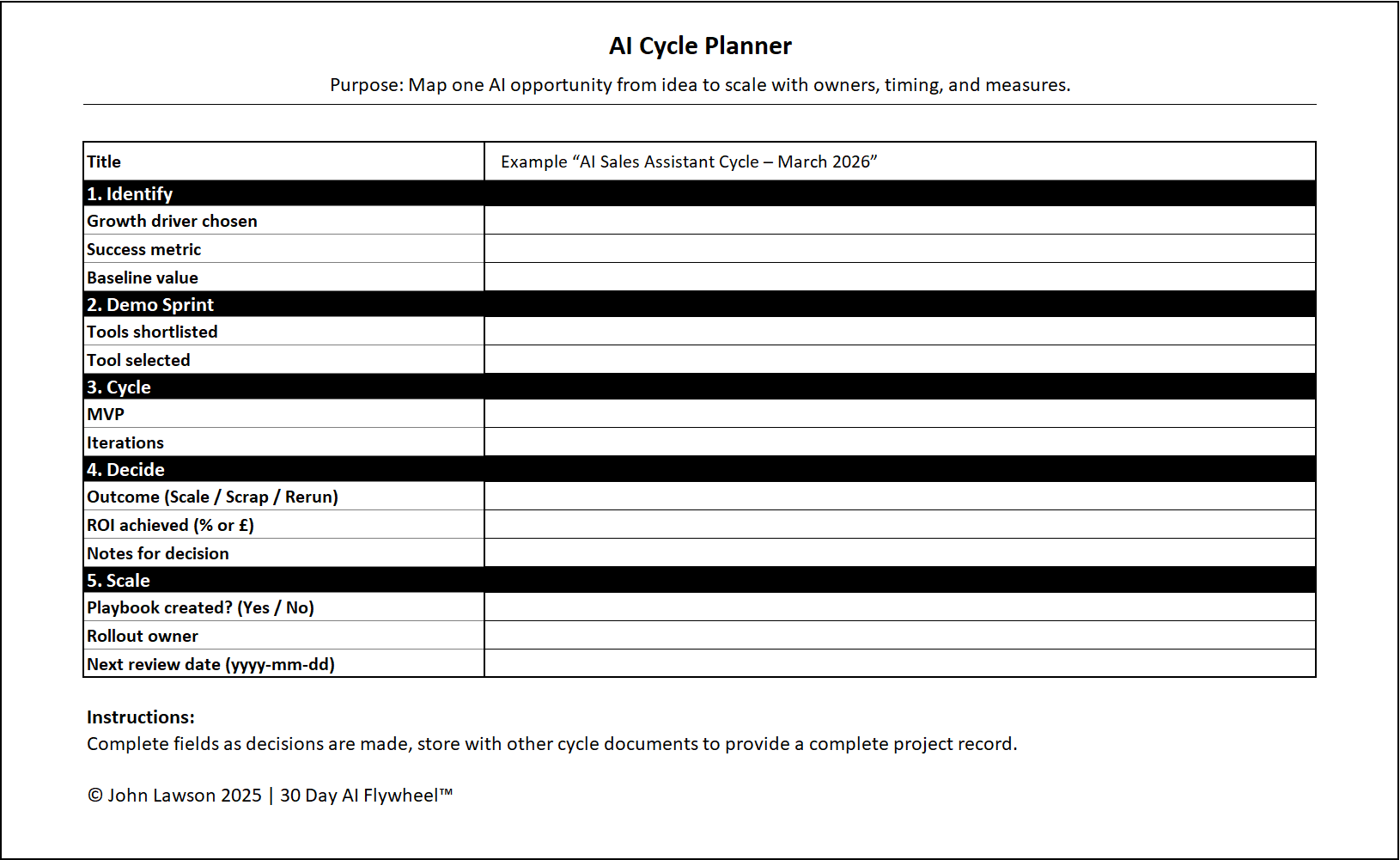
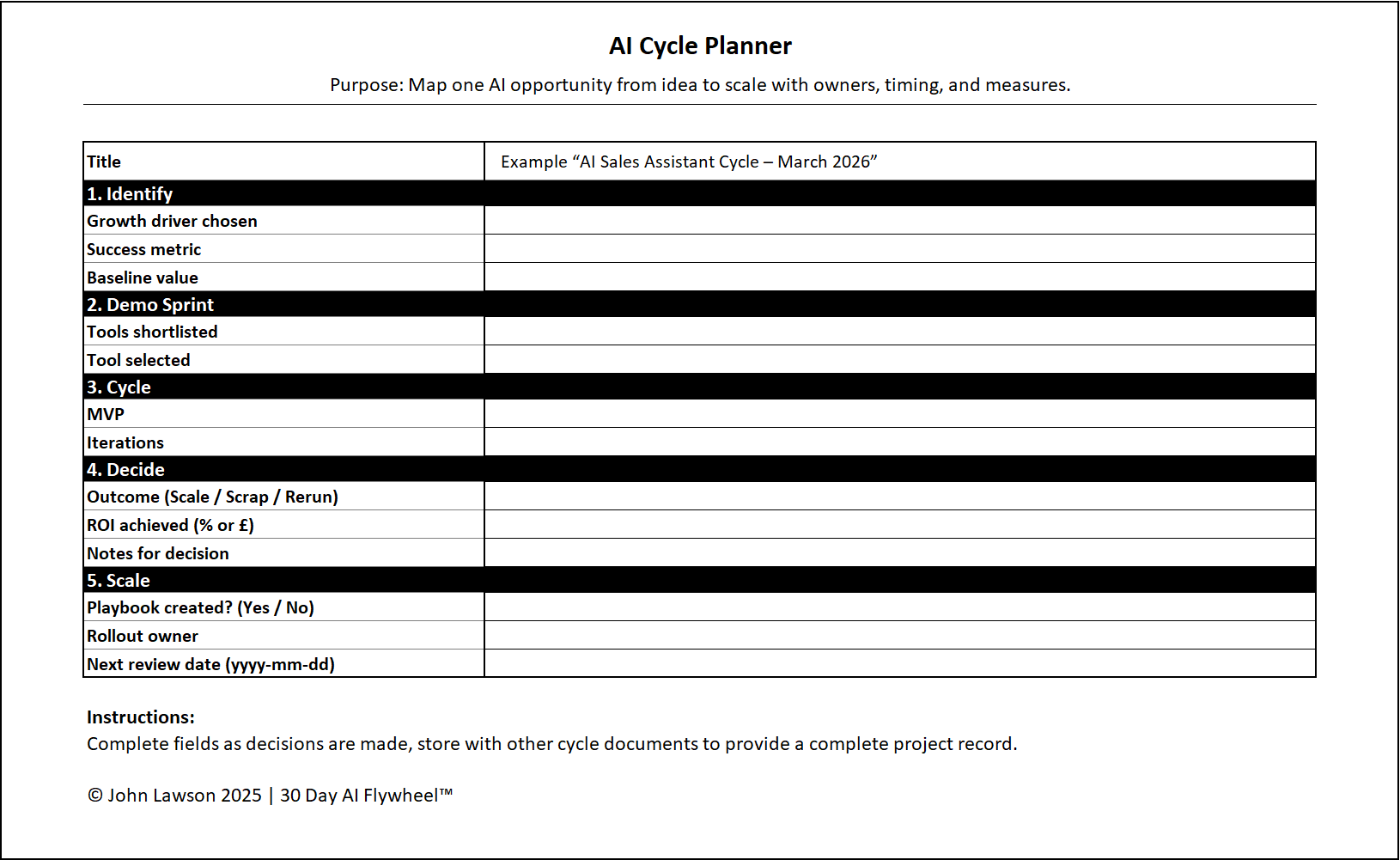
- Cycle title: e.g. “AI Sales Assistant Cycle – March 2026”.
- 1. Identify — Growth driver, success metric, baseline value.
- 2. Demo Sprint — Tools shortlisted, tool selected.
- 3. Cycle — Metric tracking method, iteration log owner, key adjustments.
- 4. Decide — Outcome (scale / scrap / rerun), ROI achieved, decision notes.
- 5. Scale — Playbook tick box, rollout owner, next review date.
Why it works
This planner keeps the whole cycle on one page. It makes the goal, actions, and decision plain, so you can move faster and build a record you can trust.

Download the Excel file
File: ai-cycle-planner.xlsx
How to use
- Download the planner.
- If it opens in your browser, save it:
- Windows: press Ctrl + S or right click and choose Save as.
- Mac: press Cmd + S or control click and choose Save as.
- Fill in each section with your team. Print it if that helps.
- Share the file and repeat for every new cycle to build a running record.
Action step
Download the planner now. Use it for your first cycle this month and repeat it for each new cycle.