
What you get
Why it matters
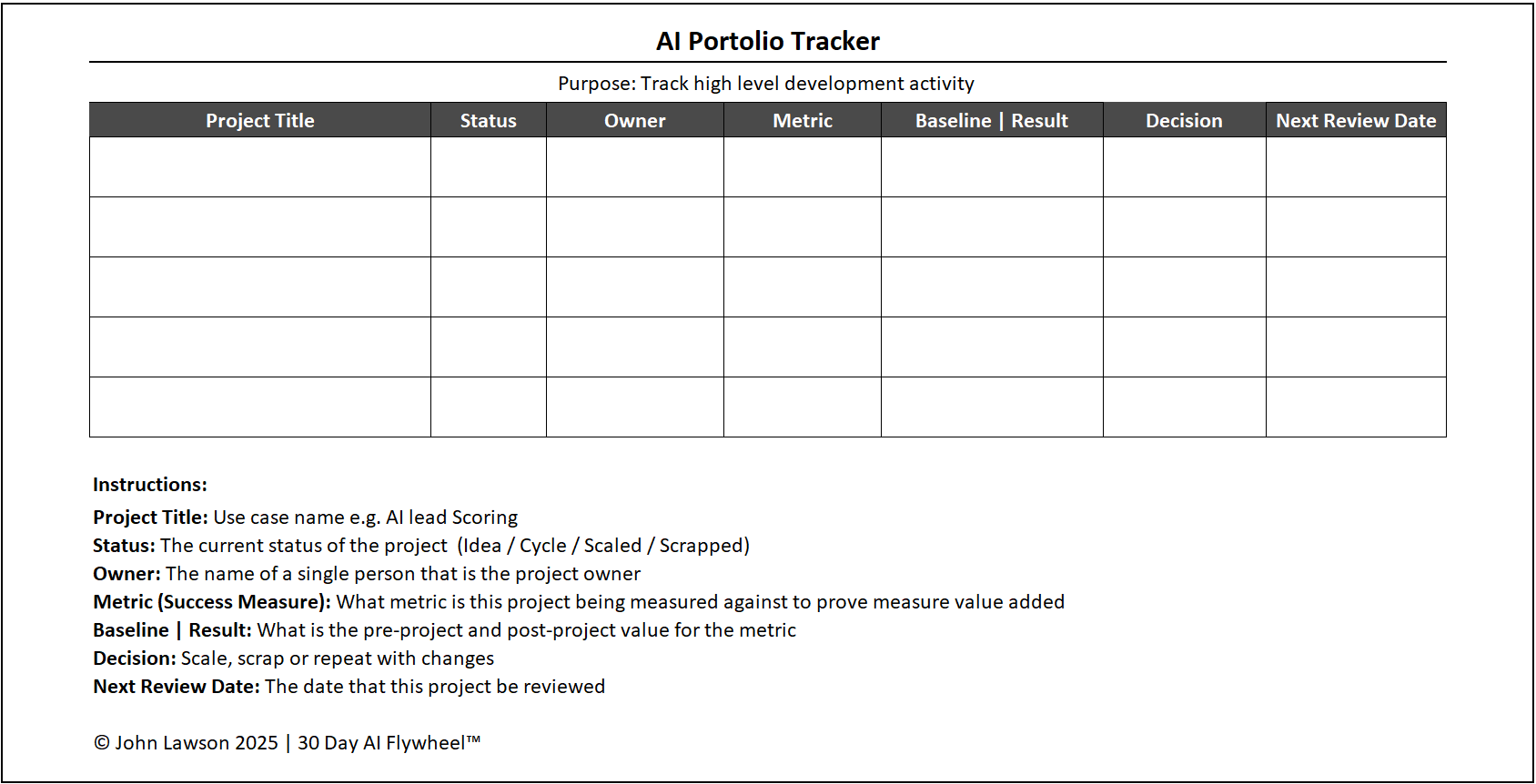
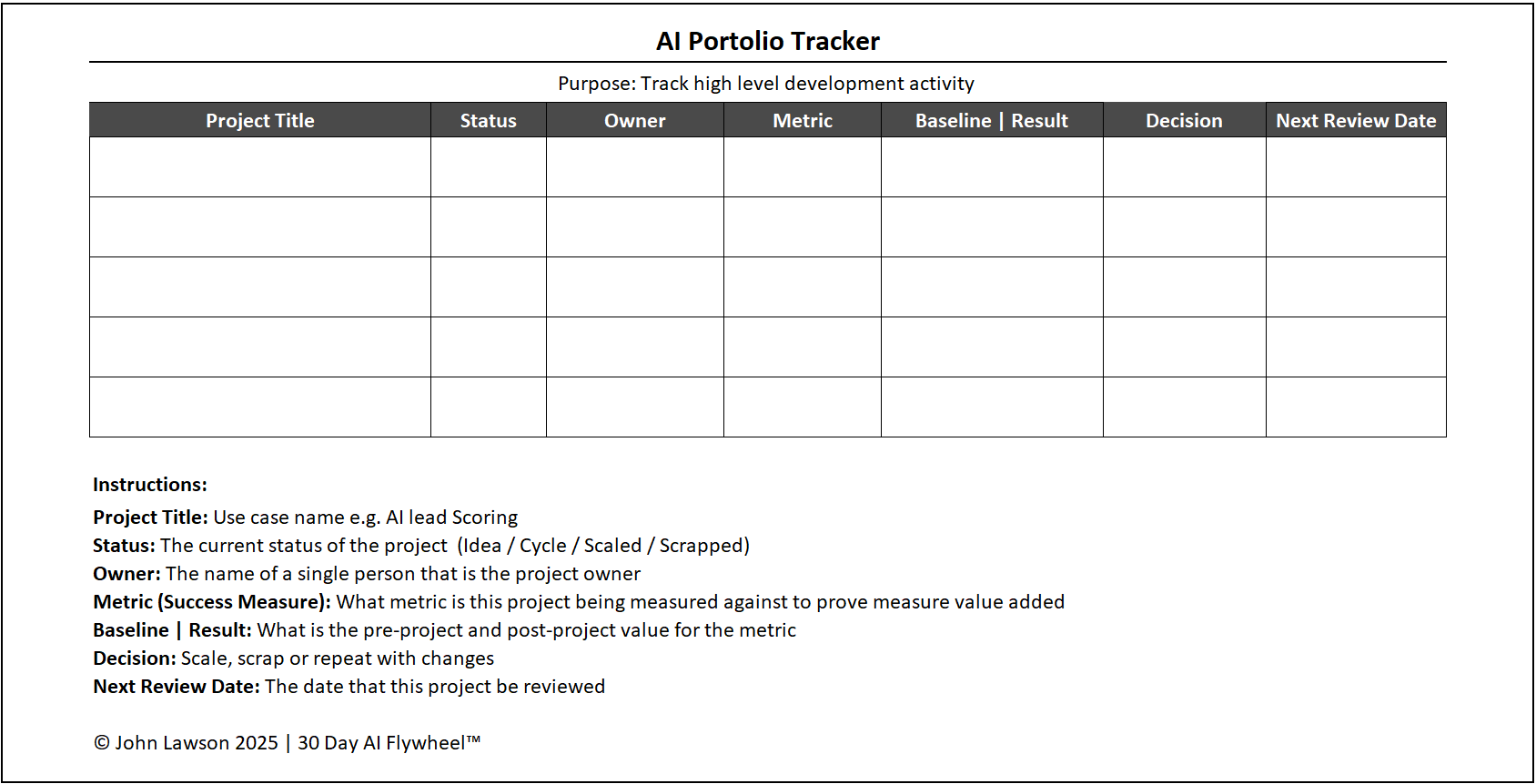
As cycles multiply, teams lose track of what worked, what failed, and what’s in-flight. The AI Portfolio Tracker keeps every initiative in one place, turning scattered projects into a managed portfolio that leaders can steer.
What it includes
- Title — the use case name (e.g., AI lead scoring, ad targeting, invoice automation).
- Status — Idea, Cycle, Scaled, or Scrapped.
- Owner — person responsible for running and reporting on the cycle.
- Metric — the success measure chosen for the cycle.
- Baseline → Result — side-by-side numbers proving impact.
- Next Review Date — when the use case will be revisited.
How to use it
- Start the tracker with your first cycle and update it after every rollout decision.
- Review the tracker monthly with leadership to keep alignment.
- Use it as your reference point when reporting progress to the business.
Inside the file
- Portfolio — master table (Title, Status, Owner, Metric, Baseline, Result, Benefit, Next Review, Tags, Links).
- Dashboard — counts by status, ROI summary, recent wins, and upcoming reviews.
- Pipeline — backlog of ideas with priority and expected value.
- Reviews — monthly agenda and decision log.
- Glossary — definitions for statuses, metrics, and decision rules.
- Poster — one-page portfolio snapshot for leadership decks.

Download the Excel file
File: ai-portfolio-tracker.xlsx
How to use
- Download the tracker.
- If it opens in your browser, save it:
- Windows: press Ctrl + S or right-click & choose Save as.
- Mac: press Cmd + S or control-click & choose Save as.
- Log your first cycle and set the next review date.
- Update the Portfolio after each rollout decision and review monthly.
Action step
Download the AI Portfolio Tracker, log your first cycle, and schedule a monthly review. Visibility turns isolated wins into a strategy.