
What you get
Why download it
- End opinion wars with a clear, shared decision path.
- Make a call in under an hour, aligned to 30-day cycles.
- Document the rationale so future teams can see why.
How the tree works
- Start at the top with a simple question.
- Follow the Yes/No branches down the page.
- Arrive at a clear recommendation: Build, Buy, or Delay.
Key questions in the tree
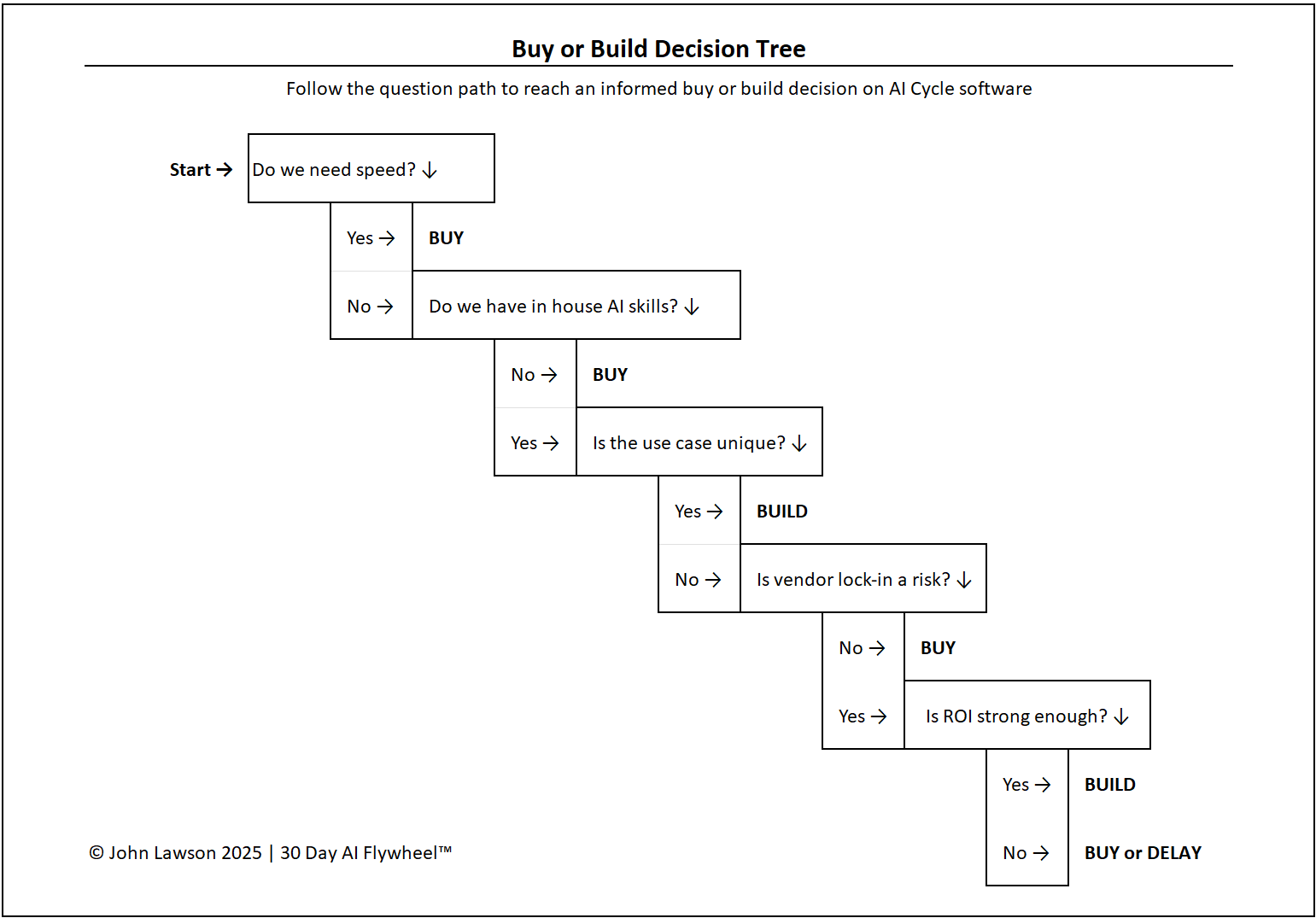
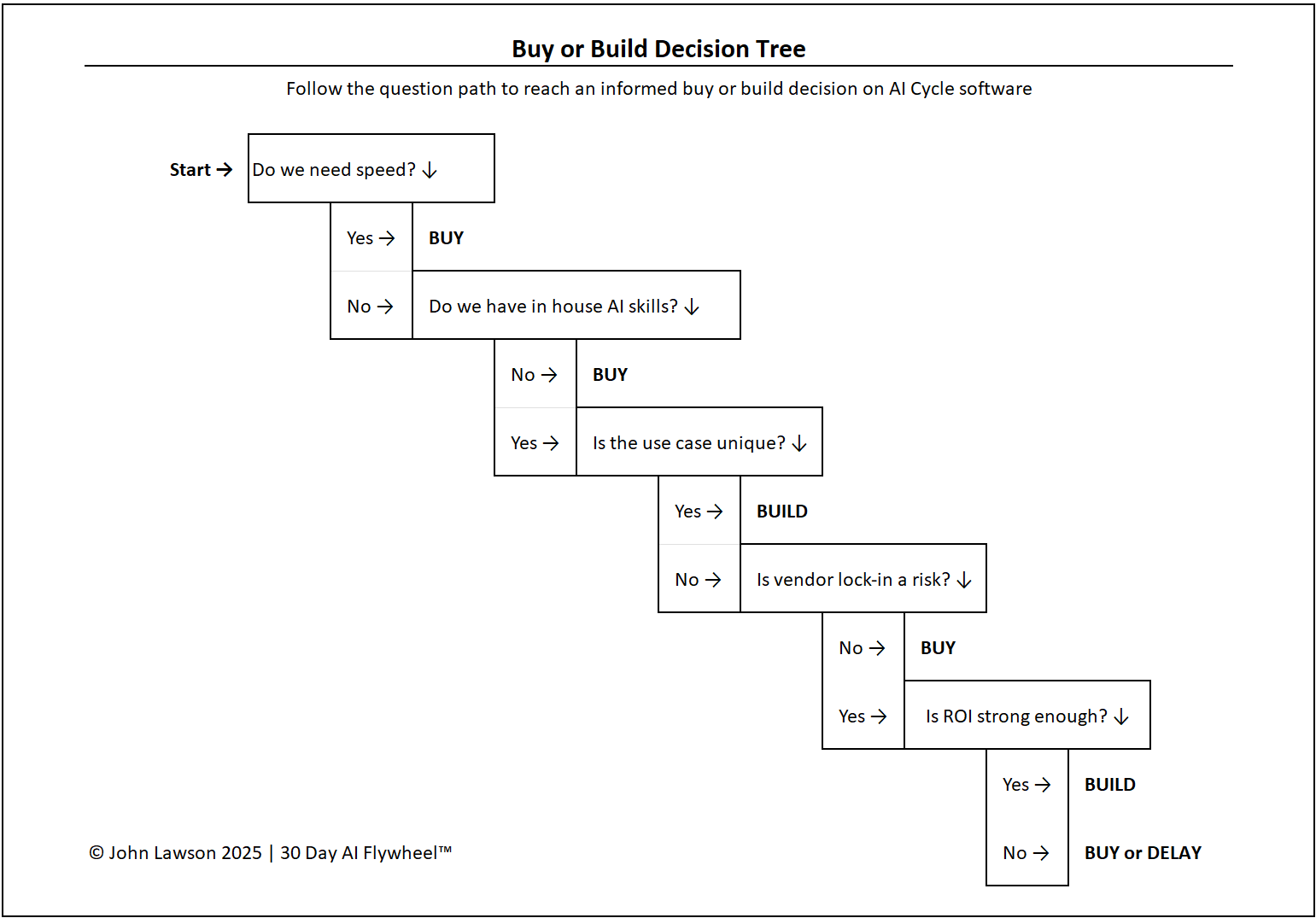
- Do we need speed?
Yes → Buying is faster and fits a 30-day cycle. No → Go to Q2. - Do we have in-house AI engineering skills?
Yes → Building is possible → Q3. No → Buying is safer. - Is the use case highly unique to our business?
Yes → Build to capture long-term advantage. No → Buy is more efficient. - Is vendor lock-in a major risk?
Yes → Consider Build (weigh cost/time). No → Buying is fine. - Is the cost of building justified by ROI?
Yes → Build. No → Buy or Delay.
What the diagram shows
- A branching flowchart starting at “Do we need speed?”
- Yes/No paths that end in Build, Buy, or Delay.
- Callout notes for risks, cost, skill, and time considerations.
Inside the file
- Decision Tree sheet — editable flowchart with outcomes.
- Questions & Notes — prompts, examples, and common pitfalls.
- Poster sheet — clean one-pager for decks and workshops.
Why it matters
Without a framework, build-vs-buy debates spiral into opinions. This tree reduces it to practical questions tied to time, skills, and ROI.

Download the Excel file
File: build-vs-buy-decision-tree.xlsx
How to use
- Download the diagram.
- If it opens in your browser, save it:
- Windows: press Ctrl + S or right-click & choose Save as.
- Mac: press Cmd + S or control-click & choose Save as.
- Walk your team through the questions; capture assumptions and owners.
- Record the outcome (Build / Buy / Delay) and the decision date.
Action step
Add this decision tree to your workshop kit. Use it whenever a team proposes building from scratch to ensure the call is fast, fair, and aligned to ROI.