
What you get
Why it matters
Without a scorecard, teams argue over outcomes and waste time. With it, the decision is transparent, data-driven, and easy to present to leadership.
Categories to include
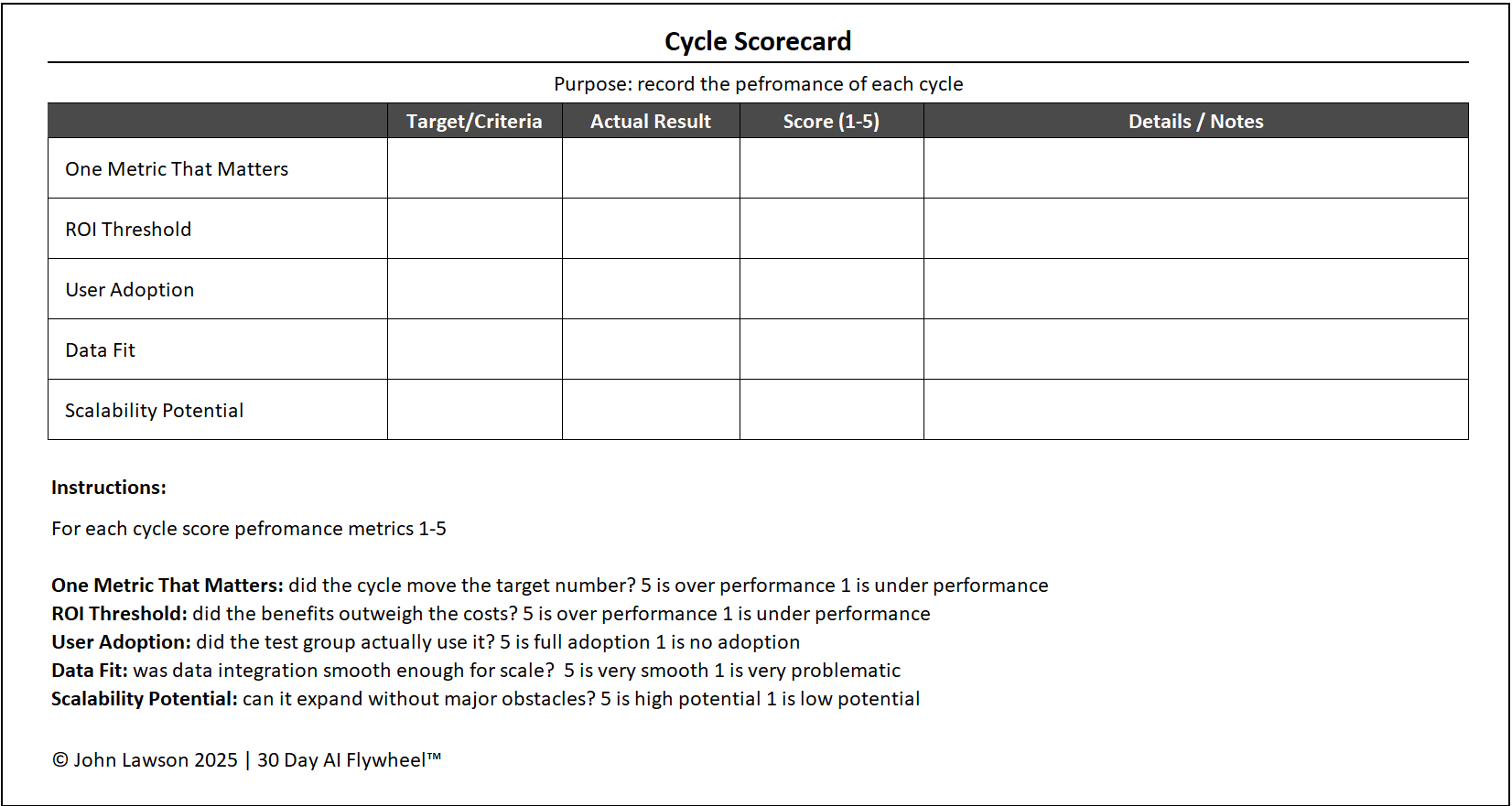
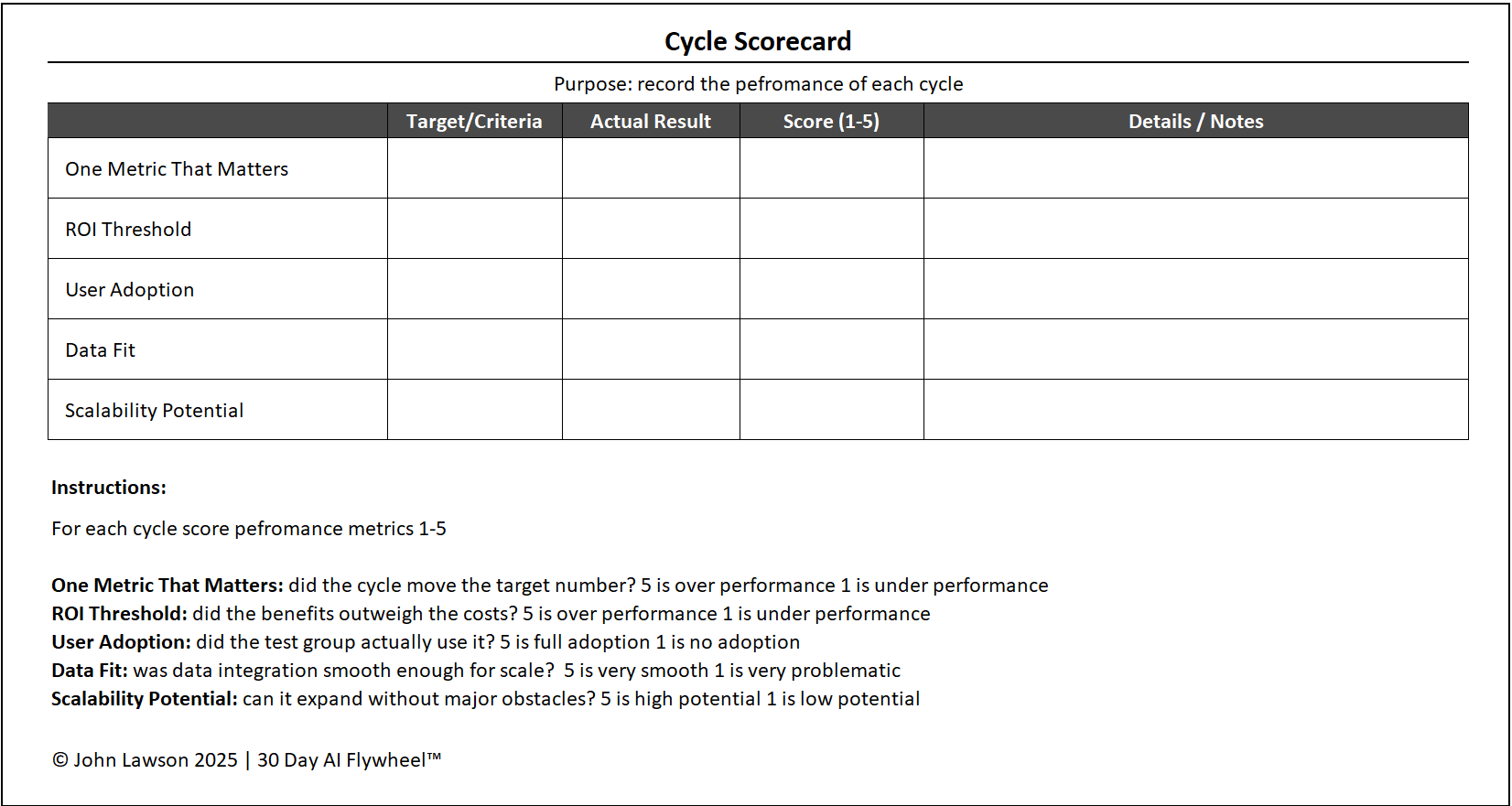
- One Metric That Matters — did the cycle move the chosen number?
- ROI Threshold — did benefits outweigh costs?
- User Adoption — did the test group actually use it?
- Data Fit — was integration smooth enough for scale?
- Scalability Potential — can it expand without major obstacles?
Scoring system
- 1 = Poor
- 3 = Acceptable
- 5 = Excellent
Decision rule
- 20+ points → Scale
- 15–19 points → Rerun with adjustments
- < 15 points → Scrap
Inside the file
- Scorecard — the 5 categories with 1–5 selectors, evidence notes, auto total, and decision guidance.
- OMTM & ROI — fields to document the metric, baseline, target, costs, and realised benefits.
- Adoption & Data Fit — quick checks on users, integration, and blockers.
- Summary — printable one-pager to share at leadership review.

Download the Excel file
File: cycle-scorecard.xlsx
How to use
- Download the scorecard.
- If it opens in your browser, save it:
- Windows: press Ctrl + S or right-click & choose Save as.
- Mac: press Cmd + S or control-click & choose Save as.
- At Day-30, fill it out with the cycle team to ensure fairness.
- Apply the decision rule and present the score + recommendation at leadership review.
Action step
Download the Cycle Scorecard and complete it immediately after your current cycle. Don’t delay — decisions lose clarity if you wait.