
What you get
Why download it
- Avoid cycles that stall due to missing or unusable data.
- Make a fast, fact-based go / no-go call.
- Share a one-page checklist that everyone can follow.
What the check covers
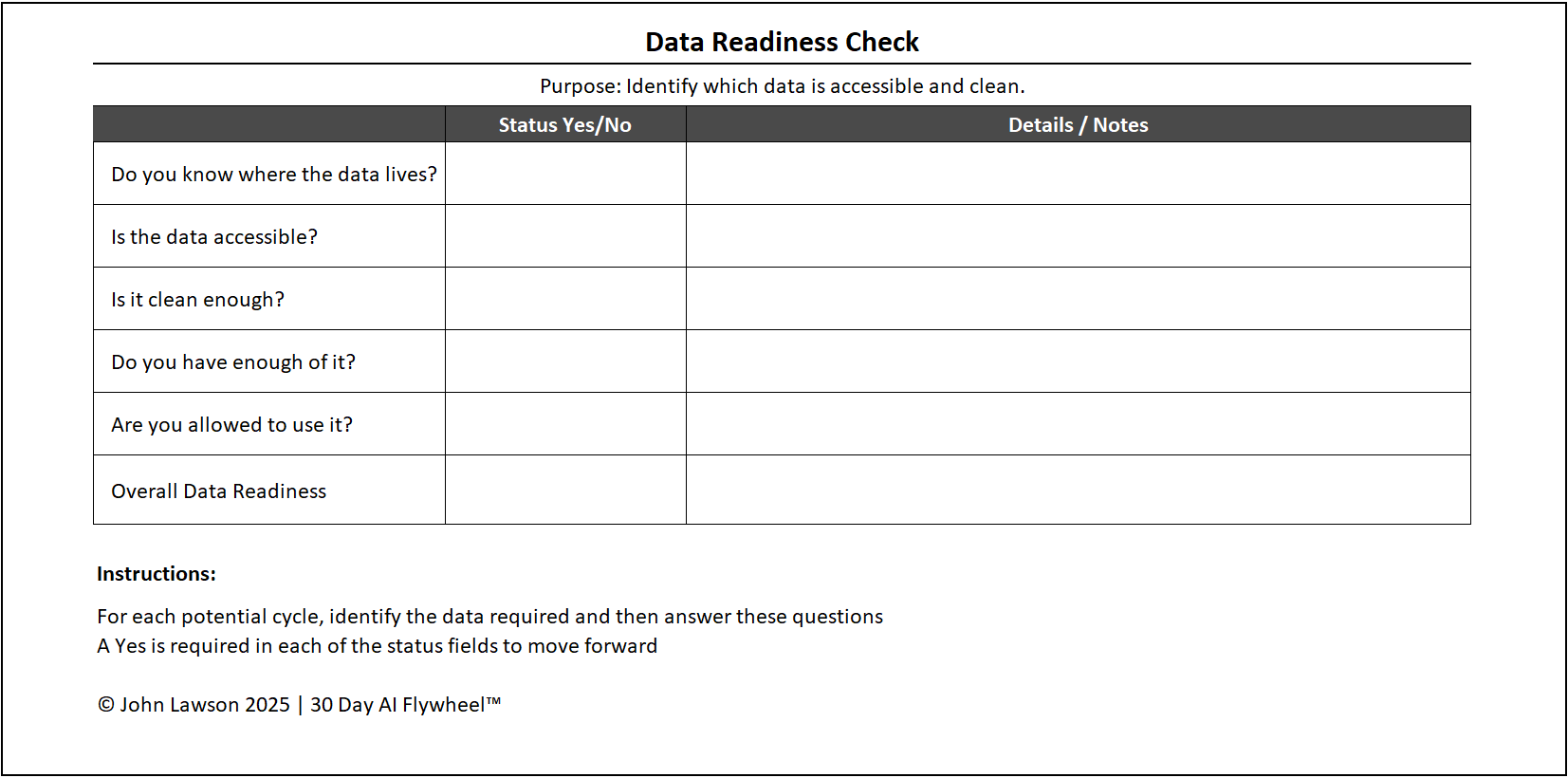
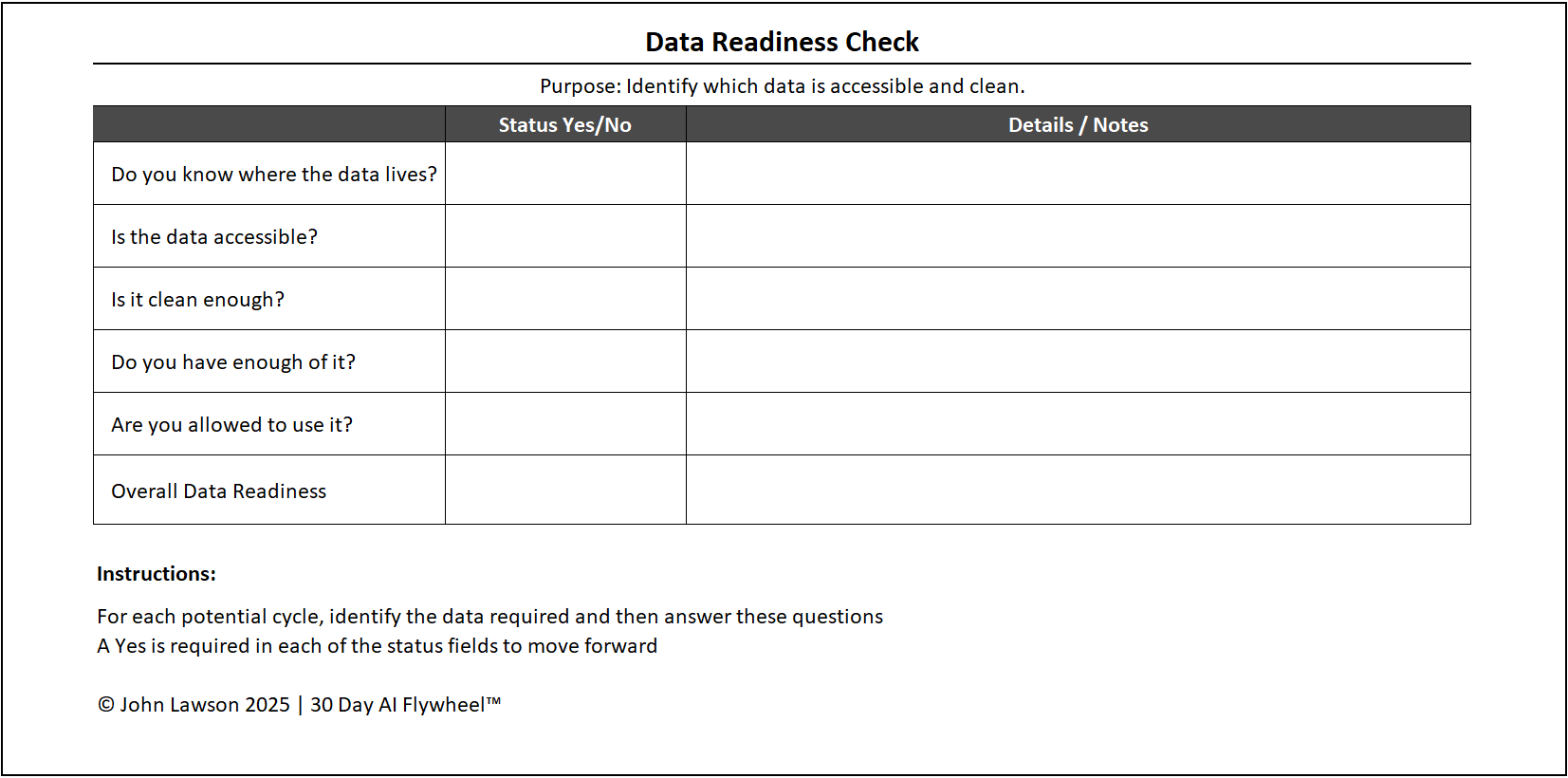
- Do you know where the data lives?
List the main sources linked to your growth driver (e.g., CRM for sales, ticketing or chat logs for service). If sources are scattered, pick the most reliable starting point. - Is the data accessible?
Ensure you can export, connect via API, or at least work with a sample. If you can’t access it easily, the cycle will stall. - Is it clean enough?
You don’t need perfect accuracy. Check for gaps, duplicates, or outdated entries. If errors are widespread, AI will amplify them. - Do you have enough of it?
AI needs patterns. For some use cases, a few thousand rows may be enough; others need more history. The test: can you prove or disprove value in 30 days? - Are you allowed to use it?
Confirm privacy, consent, and internal governance. Even test cycles must meet basic standards.
Inside the file
- Source / System
- Location (owner / team)
- Access method (export / API / sample)
- Quality notes (gaps / duplicates / freshness)
- Volume available (rows / history)
- Compliance (consent / policy)
- Readiness flag (R / A / G)
- Next step & owner
Why it matters
A quick data check prevents the most common trap: launching a promising cycle and discovering the input is unusable. Confirm readiness and move forward with speed and confidence.

Download the Excel file
File: data-readiness-check.xlsx
How to use
- Download the checklist.
- If it opens in your browser, save it:
- Windows: press Ctrl + S or right click and choose Save as.
- Mac: press Cmd + S or control click and choose Save as.
- Spend 20–30 minutes with the driver owner to complete each row.
- Flag reds, assign owners, and either fix fast or choose a different growth driver.
Action step
Run the data readiness check before your next 30 day cycle. If any item is red, fix it or switch drivers — then move.