
What you get
Why download it
- Cut debate and converge on a cycle in under an hour.
- Make value & effort explicit so the best ideas rise fast.
- Produce a short, defensible list of quick wins.
How the matrix works
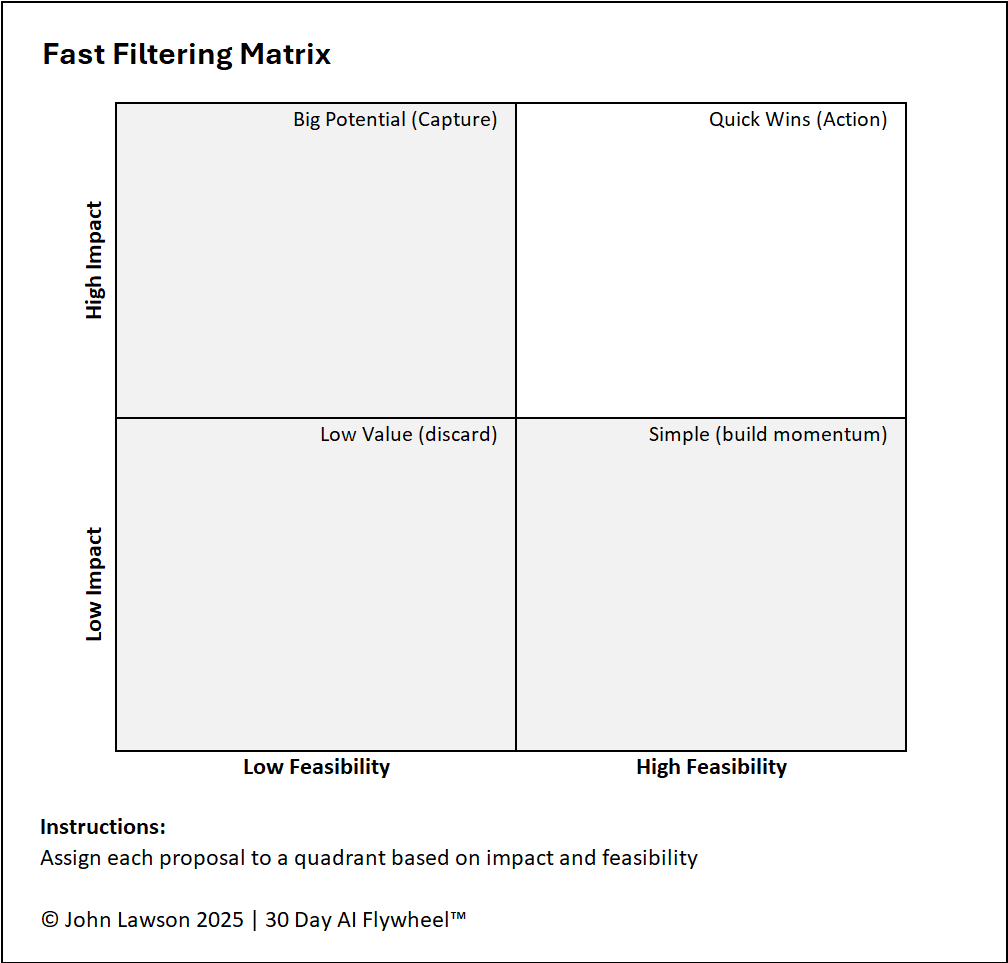
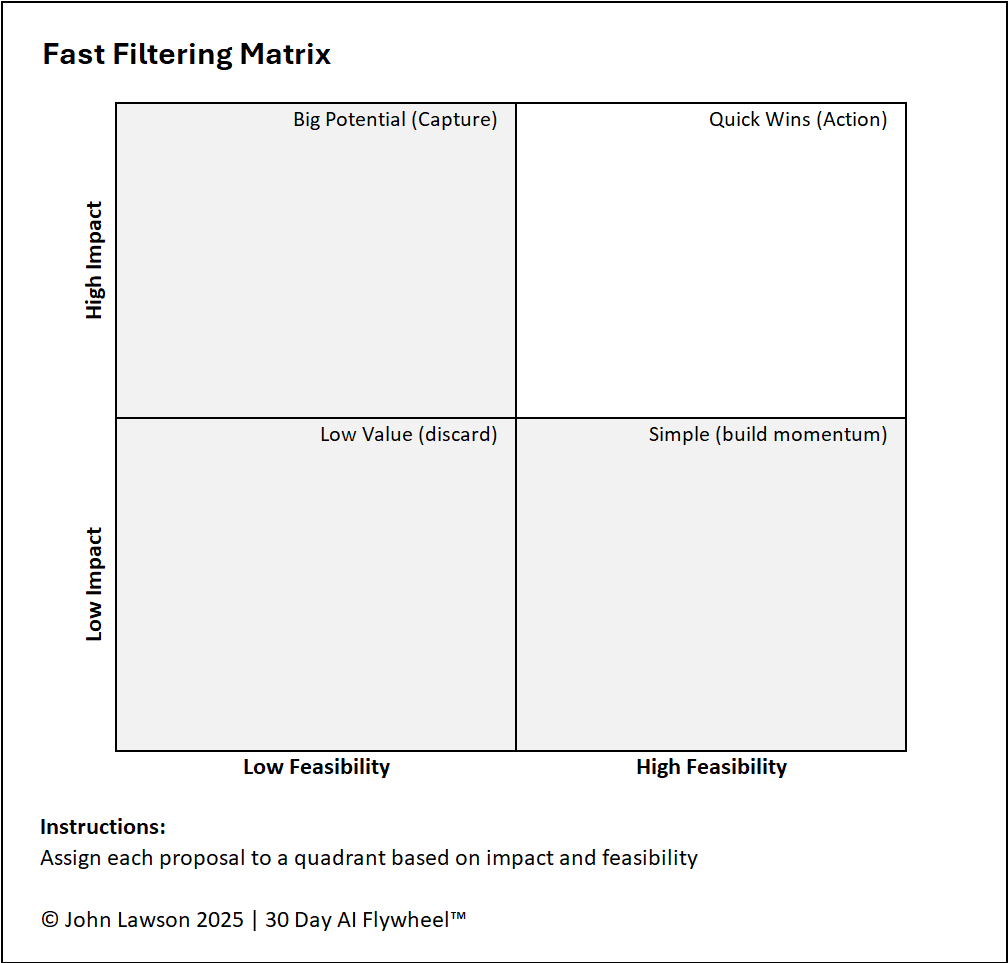
- Impact (vertical axis): potential value — revenue gain, cost saving, time saved, or CX improvement.
- Feasibility (horizontal axis): achievability in 30 days — data readiness, tool availability, team capacity.
Four quadrants
- High Impact / High Feasibility → Quick Wins: best cycles, visible results fast.
- High Impact / Low Feasibility → Long Shots: capture for later; not a 30-day fit.
- Low Impact / High Feasibility → Easy But Small: use sparingly to build momentum.
- Low Impact / Low Feasibility → Discard: not worth the effort now.
Inside the file
- Ideas sheet: Idea, Impact (1–5), Feasibility (1–5), Quadrant (auto), Rationale, Owner, Next Step.
- Matrix sheet: auto-plots ideas on a 2×2 grid with a highlighted Quick Wins zone.
- Workshop sheet: printable grid for sticky-notes and a short facilitation guide.
How to use it
- In a workshop, write each opportunity on a sticky note (or add to the Ideas sheet).
- Place each idea on the grid by impact and feasibility (or score 1–5 in Excel).
- Focus on the Quick Wins quadrant and select one cycle to run next.
Why it matters
AI cycles fail when teams chase ambitious but unworkable ideas. The Fast Filtering Matrix enforces discipline so every cycle starts valuable and achievable.

Download the Excel file
File: fast-filtering-matrix.xlsx
How to use
- Download the worksheet.
- If it opens in your browser, save it:
- Windows: press Ctrl + S or right click & choose Save as.
- Mac: press Cmd + S or control-click & choose Save as.
- Score ideas with your team and pick one Quick Win to run as a 30 day cycle.
Action step
Run a 30-minute filtering session this week. Choose one Quick Win and book the Day-1 kickoff.