
What you get
Why it matters
Most businesses trial AI in one or two departments, then stall. An org chart overlay makes it clear where AI creates value today and where the next logical cycles should start — aligning leaders on a single adoption plan.
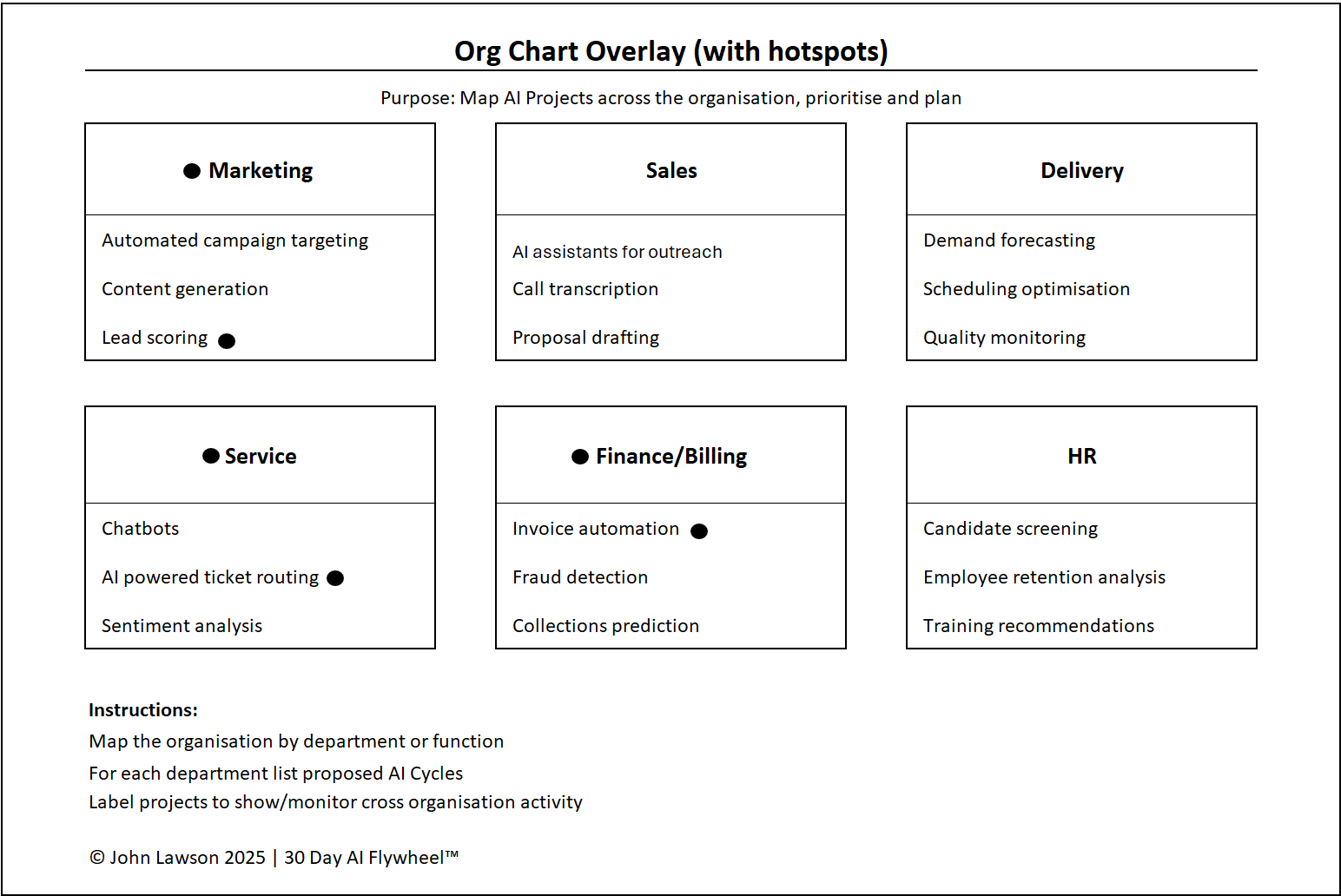
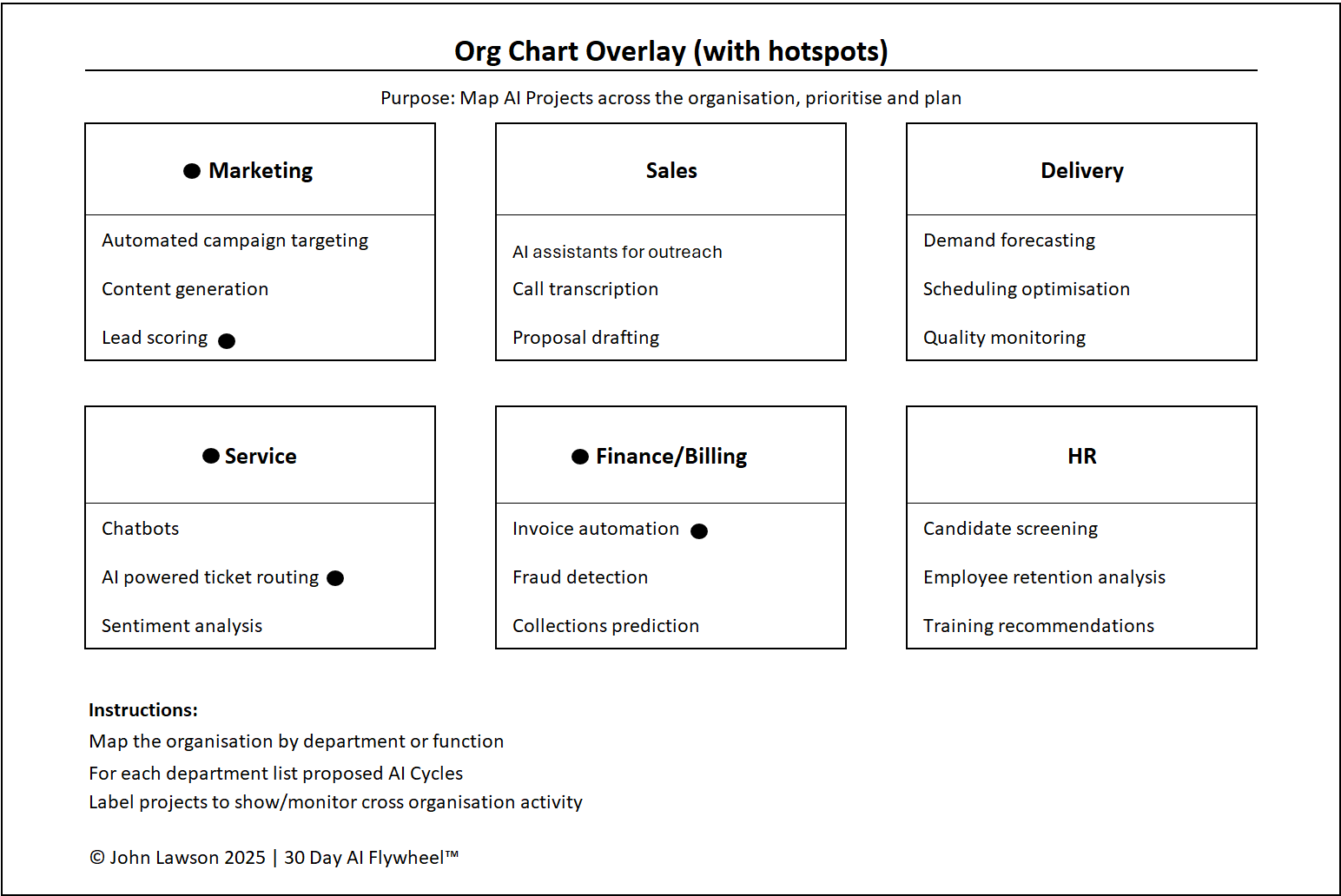
What the diagram shows
- Your org chart with departments/functions as boxes.
- Overlaid AI workflows as labelled arrows/tags.
- Status colours: Pilot, Scaling, Next Up.
- Callouts for metric moved (revenue, cost, time, CX) and owner.
- A legend to keep the view consistent in leadership decks.
Inside the file
- Overlay — editable org chart with drag-and-drop workflow tags.
- Workflows Table — Dept, Process, Use Case, Status (Pilot/Scaling/Next Up), Metric, Owner, Notes.
- Legend & Status — colour keys and guidance.
- Poster — clean one-pager for workshops and leadership meetings.
Example
A mid-sized manufacturer ran cycles in Sales and Marketing only. Mapping workflows onto the org chart revealed untapped value in Operations and Finance. Within two cycles they launched demand forecasting and invoice automation — doubling total ROI.

Download the Excel file
File: org-chart-ai-overlay.xlsx
How to use
- Download the diagram.
- If it opens in your browser, save it:
- Windows: press Ctrl + S or right-click & choose Save as.
- Mac: press Cmd + S or control-click & choose Save as.
- Add your org structure (edit boxes or paste a PNG).
- List active and planned AI workflows in the table; link them on the overlay.
- Mark status (Pilot/Scaling/Next Up) and the metric moved; share in leadership.
Action step
Take your org chart and overlay planned AI cycles. Mark the next three target areas and share at your next leadership meeting to align priorities.