
What you get
Why it matters
- Many AI projects fail by treating ROI as a distant, one-off event.
- The ROI Cycle proves value every 30 days — small wins that compound.
- Gains from one cycle fund the next, creating a self-sustaining rhythm.
How the ROI cycle works
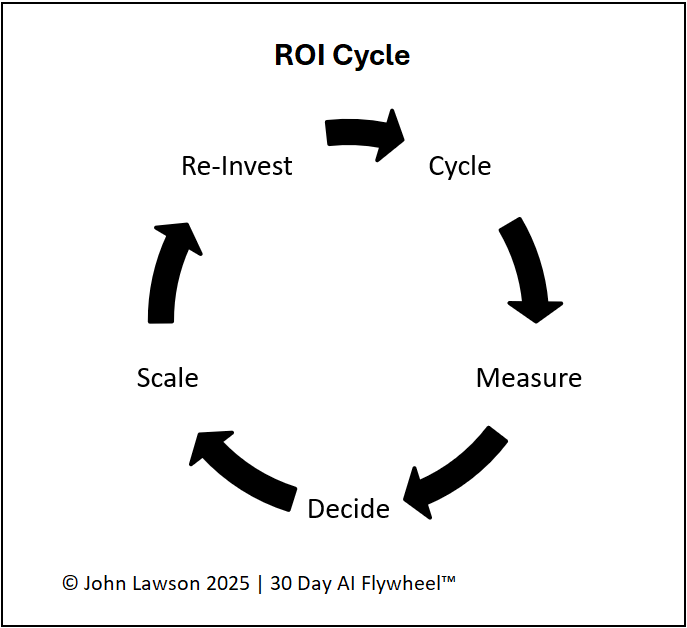
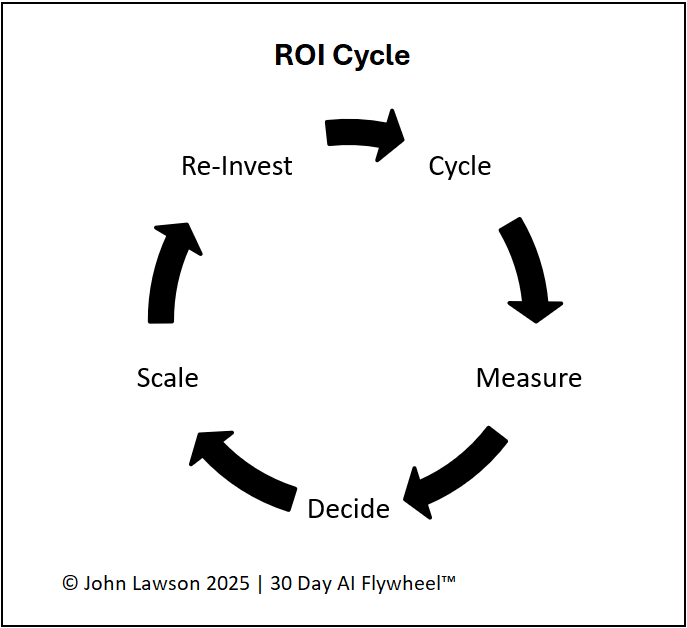
- Cycle — test one growth driver in a controlled scope; focus on the One Metric That Matters.
- Measure — track ROI signals: revenue lift, cost saved, time saved, or customer gain; record results.
- Decide — apply kill criteria; commit to Scale if it works, otherwise Scrap or Re-run.
- Scale — roll out across teams/regions/products and standardise with a playbook.
- Reinvest — use savings or growth to fund the next cycle; restart stronger.
Example
- Cycle 1: AI assistant saves 80 staff hours → savings fund next cycle.
- Cycle 2: AI ad targeting cuts cost per lead by 20% → budget reinvested.
- Cycle 3: AI support chatbot reduces wait times → boosts retention.
Inside the file
- ROI Cycle — annotated loop diagram with the five stages.
- Signals — fields for revenue, savings, time, and CX with per-cycle entries.
- Decision Log — kill criteria results, outcome (Scale/Scrap/Re-run), date, notes.
- Reinvestment Tracker — track how gains fund upcoming cycles.
- Poster — clean one-pager for decks and workshops.

Download the Excel file
File: roi-cycle.xlsx
How to use
- Download the diagram.
- If it opens in your browser, save it:
- Windows: press Ctrl + S or right-click & choose Save as.
- Mac: press Cmd + S or control-click & choose Save as.
- With your team, define the One Metric That Matters and kill criteria before Day-1.
- Run the 30-day cycle; log ROI signals weekly in the file.
- Decide at Day-30, scale what works, and update the Reinvestment Tracker.
- Repeat for the next cycle with stronger resources.
Action step
Share the ROI Cycle diagram with leadership. Agree the metric and kill criteria before kickoff, then use savings from the first win to fund Cycle 2.