
What you get
Why it matters
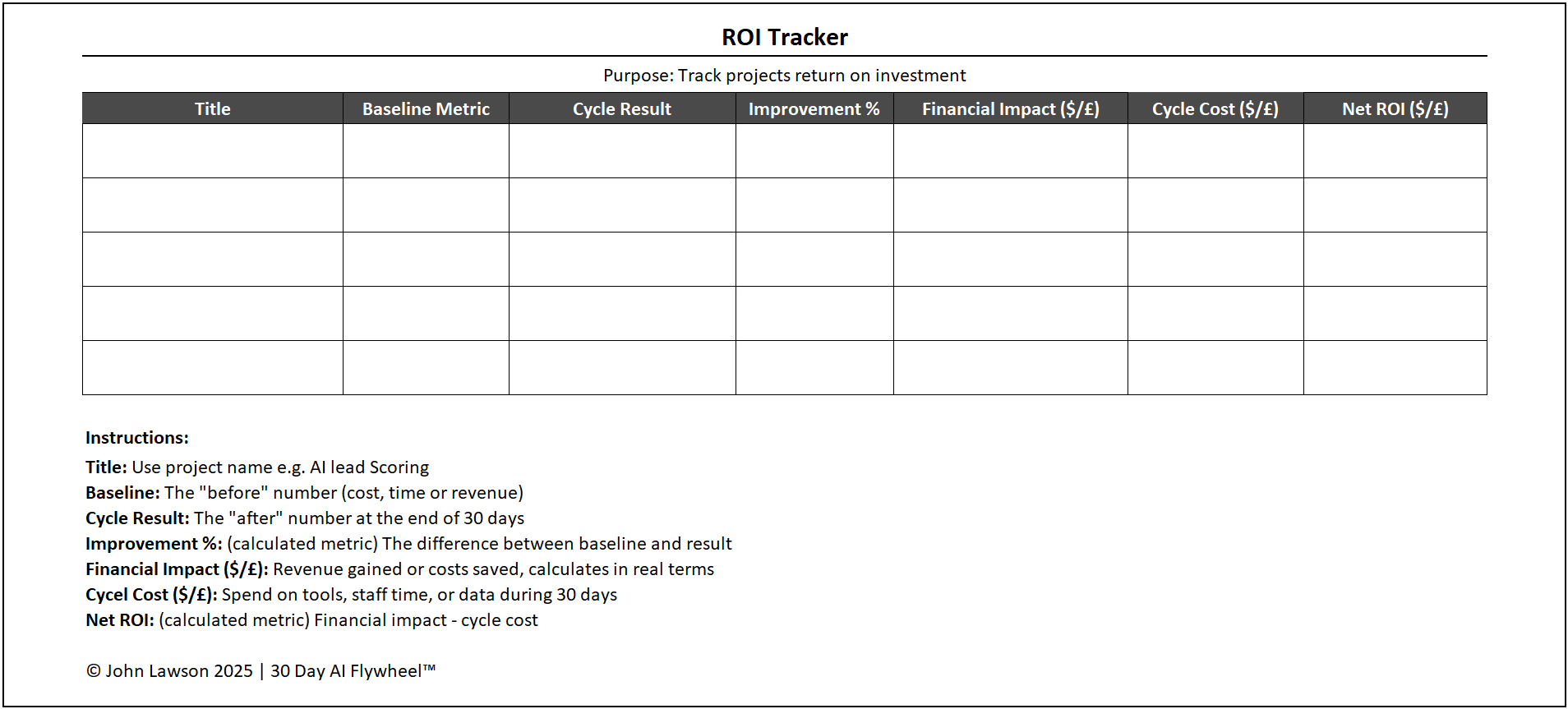
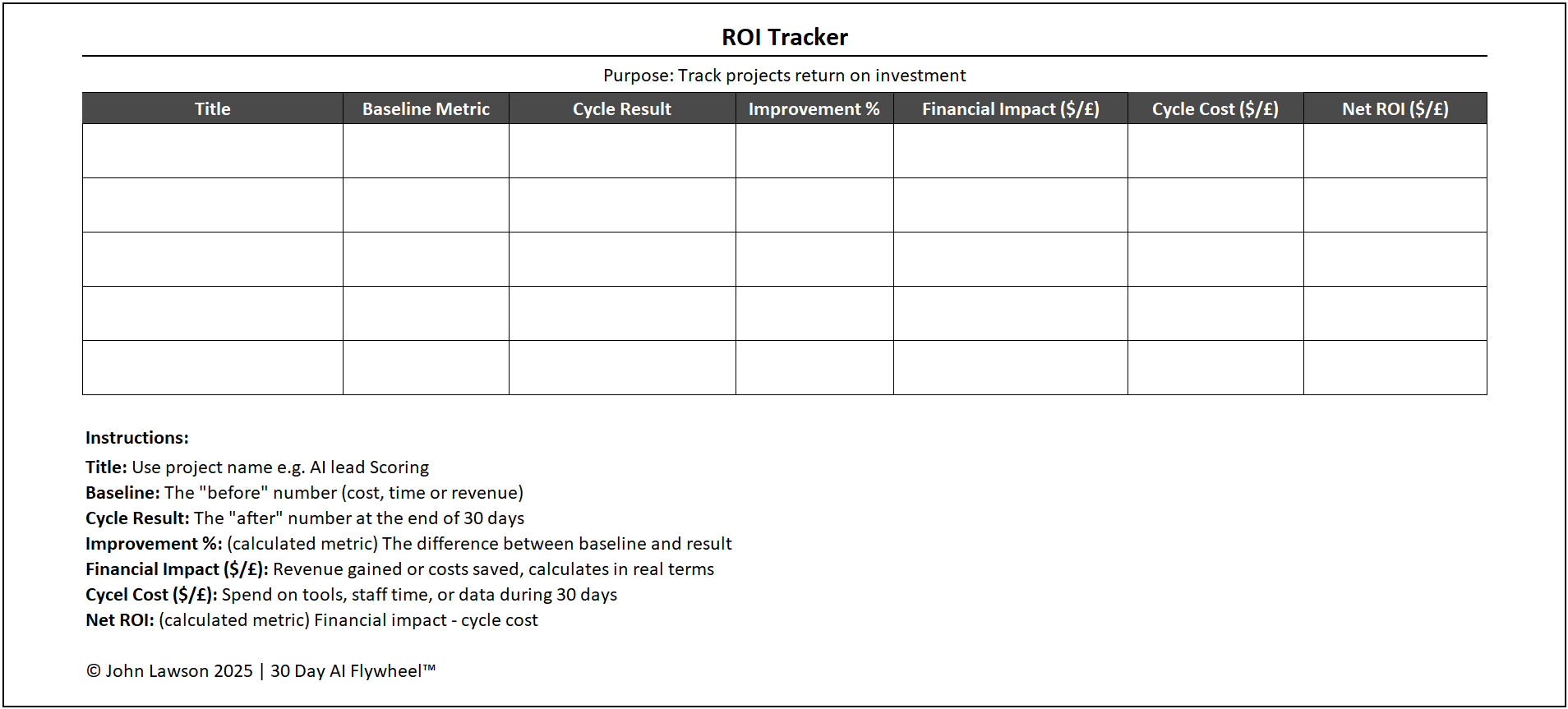
Every AI cycle must prove its worth in numbers. The ROI Tracker Sheet records the financial impact of each cycle, translating technical outputs into business value that leaders understand.
What is included
- Title — the use case (e.g., AI ad targeting, lead scoring, invoice automation).
- Baseline metric — the “before” number (cost, time, or revenue).
- Cycle result — the “after” number at Day-30.
- Improvement % — automatic calculation from baseline → result.
- Financial impact — revenue gained or cost saved, calculated in real terms.
- Cycle cost — tools, staff time, data spend for the 30 days.
- Net ROI — financial impact minus cycle cost.
How to use it
- At the start of the cycle, record the Baseline metric and estimated Cycle Cost.
- At Day-30, log the actual Result; the sheet calculates Improvement %, Financial Impact, and Net ROI.
- Present the sheet in your review meeting as evidence for Scale or Scrap decisions.
- Add the outcome to your AI Portfolio Tracker for long-term visibility.
Inside the file
- ROI Tracker — main table with auto-calcs (Improvement %, Financial Impact, Net ROI) and notes.
- Assumptions & Inputs — currency, unit values (e.g., value per hour), and cost categories.
- Examples — three sample rows to illustrate typical calculations.
- Poster — clean one-pager snapshot for leadership decks.

Download the Excel file
File: roi-tracker.xlsx
How to use
- Download the sheet.
- If it opens in your browser, save it:
- Windows: press Ctrl + S or right-click & choose Save as.
- Mac: press Cmd + S or control-click & choose Save as.
- Fill in Baseline and estimated Cost on Day-0, then update Result on Day-30.
- Use the Net ROI figure to support your scale/scrap decision and log it in your Portfolio.
Action step
Download the ROI Tracker Sheet and fill it in for your current cycle. Bring the numbers to your next review to shorten debates and unlock faster scaling.