
What you get
Why use a roadmap
- Prevents chaos by staging adoption in clear phases.
- Secures leadership buy-in with a transparent plan.
- Provides milestones and checkpoints to ensure ROI holds at scale.
How to use it
- Start with the cycle already completed and scored.
- Assign clear owners for each wave before starting rollout.
- Check progress at each checkpoint before moving to the next wave.
- Log results in the AI Portfolio Tracker to ensure visibility.
Inside the file
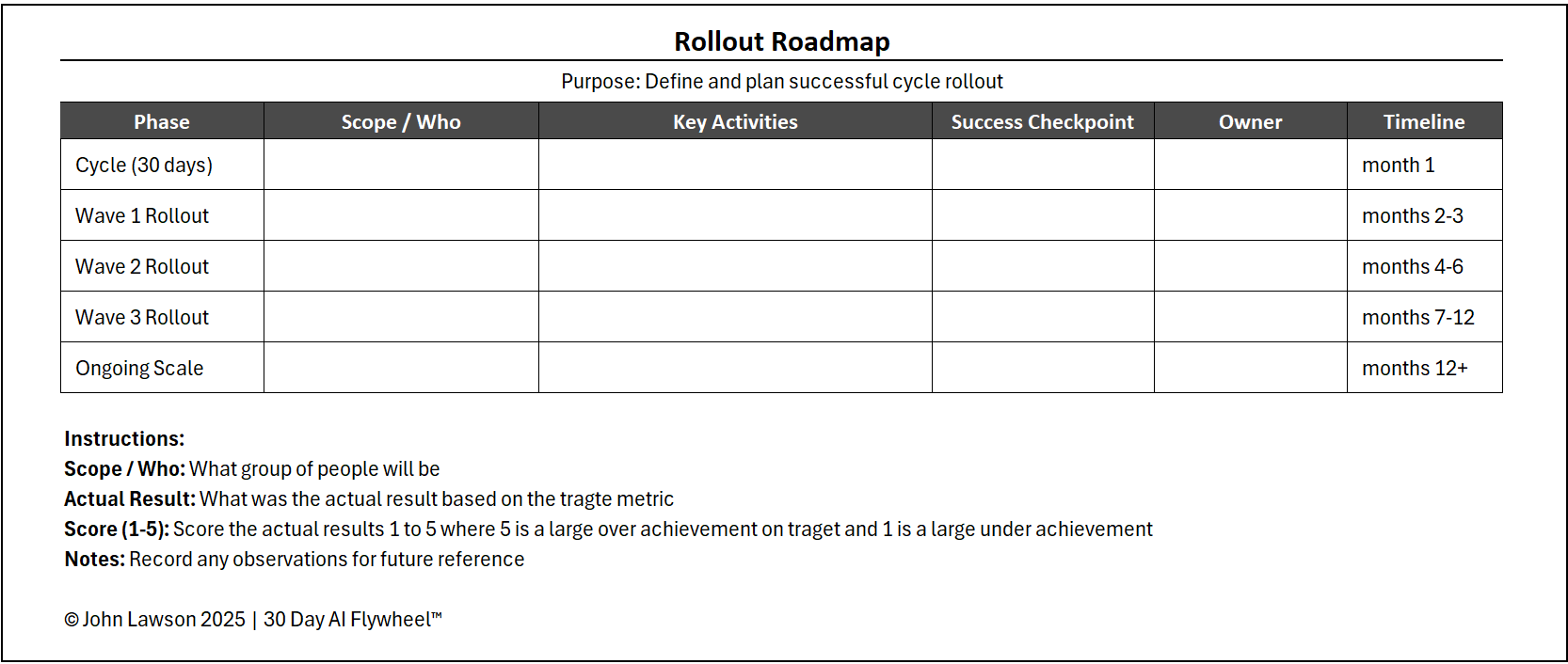
- Roadmap — waves (Wave 1–3+), scope, dates, owners, dependencies, and readiness checks (gantt-style view).
- Milestones & Checkpoints — entry/exit criteria, success signals, and risk flags.
- Risks & Mitigations — top rollout risks with owners and triggers.
- Comms Plan — who to brief, when, and with what message/assets.
- Portfolio Link-Up — fields to sync outcomes into your AI Portfolio Tracker.
- Poster — one-page view for leadership and town-halls.
Why it matters
Most failed rollouts happen because success in a small cycle is assumed to scale automatically. The roadmap makes adoption deliberate, staged, and measurable — protecting ROI while speeding spread.

Download the Excel file
File: rollout-roadmap.xlsx
How to use
- Download the template.
- If it opens in your browser, save it:
- Windows: press Ctrl + S or right-click & choose Save as.
- Mac: press Cmd + S or control-click & choose Save as.
- After completing a cycle, fill owners, scope, and dates for the next 3 rollout waves.
- Use checkpoints to decide when to advance; log results in your Portfolio Tracker.
Action step
Download the Rollout Roadmap and populate owners, scope, and dates for the next three waves before scaling. Momentum comes from a clear plan.