
What you get
Why it matters
A cycle that works for a small test group will fail at scale if the rest of the business doesn’t know how to use it. Training playbooks solve this by turning a working cycle into a clear, repeatable guide people can follow without hand-holding.
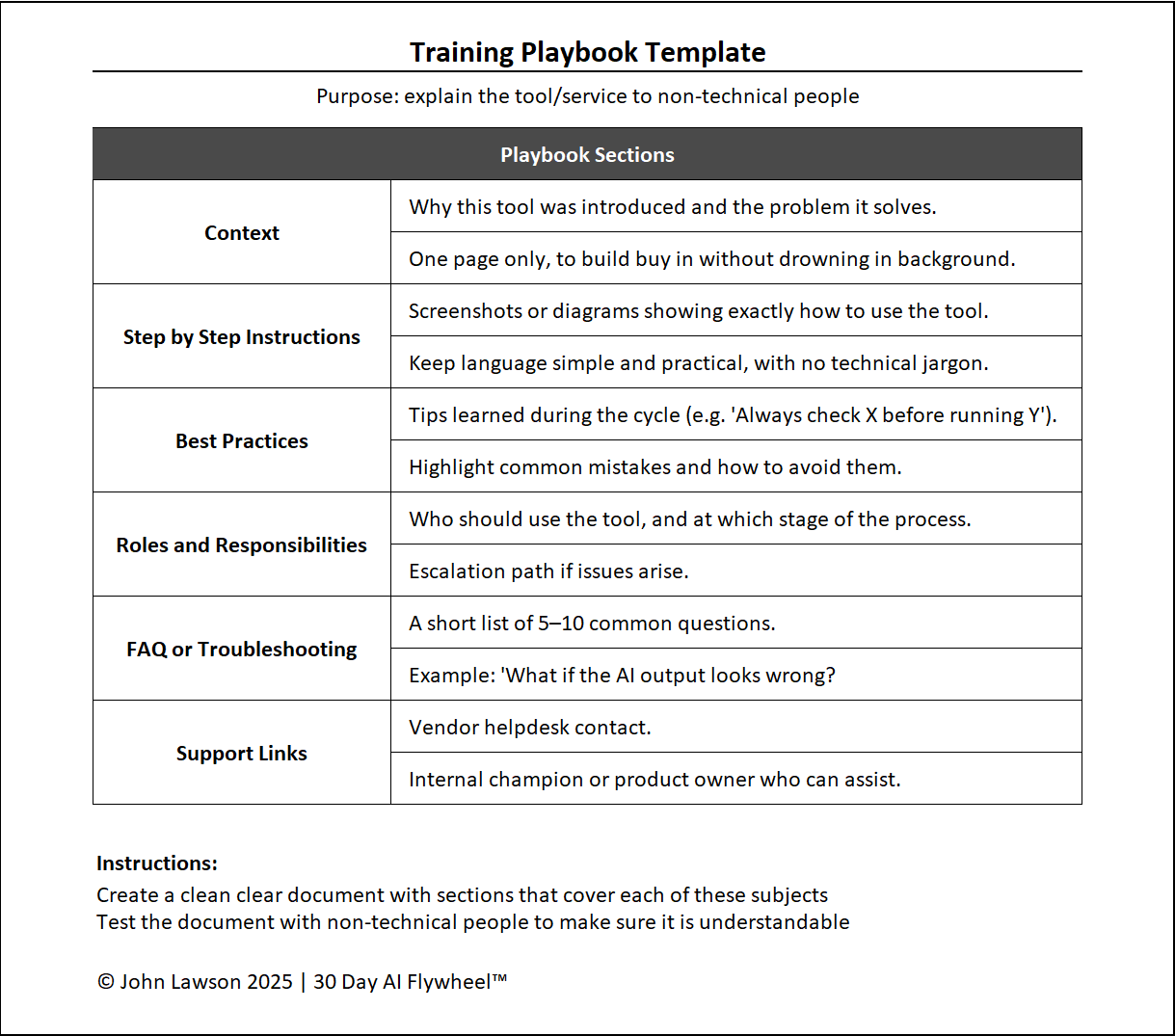
What a training playbook includes
- Context — why the tool was introduced and the problem it solves. One page only to build buy-in.
- Step-by-Step Instructions — screenshots/diagrams with simple, practical language (no jargon).
- Best Practices — tips learned during the cycle; common mistakes and how to avoid them.
- Roles & Responsibilities — who uses the tool and at which stage; escalation path for issues.
- FAQ / Troubleshooting — 5–10 common questions.
Example: “What if the AI output looks wrong?” - Support Links — vendor helpdesk; internal champion/product owner contacts.
Inside the file
- Playbook — structured pages for Context, Steps (with image placeholders), Best Practices, Roles, FAQ, and Support.
- Adoption Checklist — readiness checks (training delivered, champions named, support path clear).
- Roles Matrix — RACI-style mapping for who does what and when.
- Poster — a one-page quick-start to print or share in chats.
Example
After launching an AI sales assistant, the team shipped a two-page playbook: Context (“drafts first-contact emails to free time for calls”), Instructions (“upload lead list → select tone → review → send”), Best Practice (“always personalise the opening line”). Adoption hit ~90% in the first month.

Download the Excel file
File: training-playbooks.xlsx
How to use
- Download the template.
- If it opens in your browser, save it:
- Windows: press Ctrl + S or right-click & choose Save as.
- Mac: press Cmd + S or control-click & choose Save as.
- Draft the playbook in 30 minutes using cycle notes and screenshots.
- Run a 45-minute team training; name an internal champion.
- Track adoption weekly (e.g., % active users) and update the FAQ with real questions.
Action step
Create a two-page playbook for your current cycle and ship it with the rollout email. Clear, simple guidance is the fastest path to adoption.